In the connected system
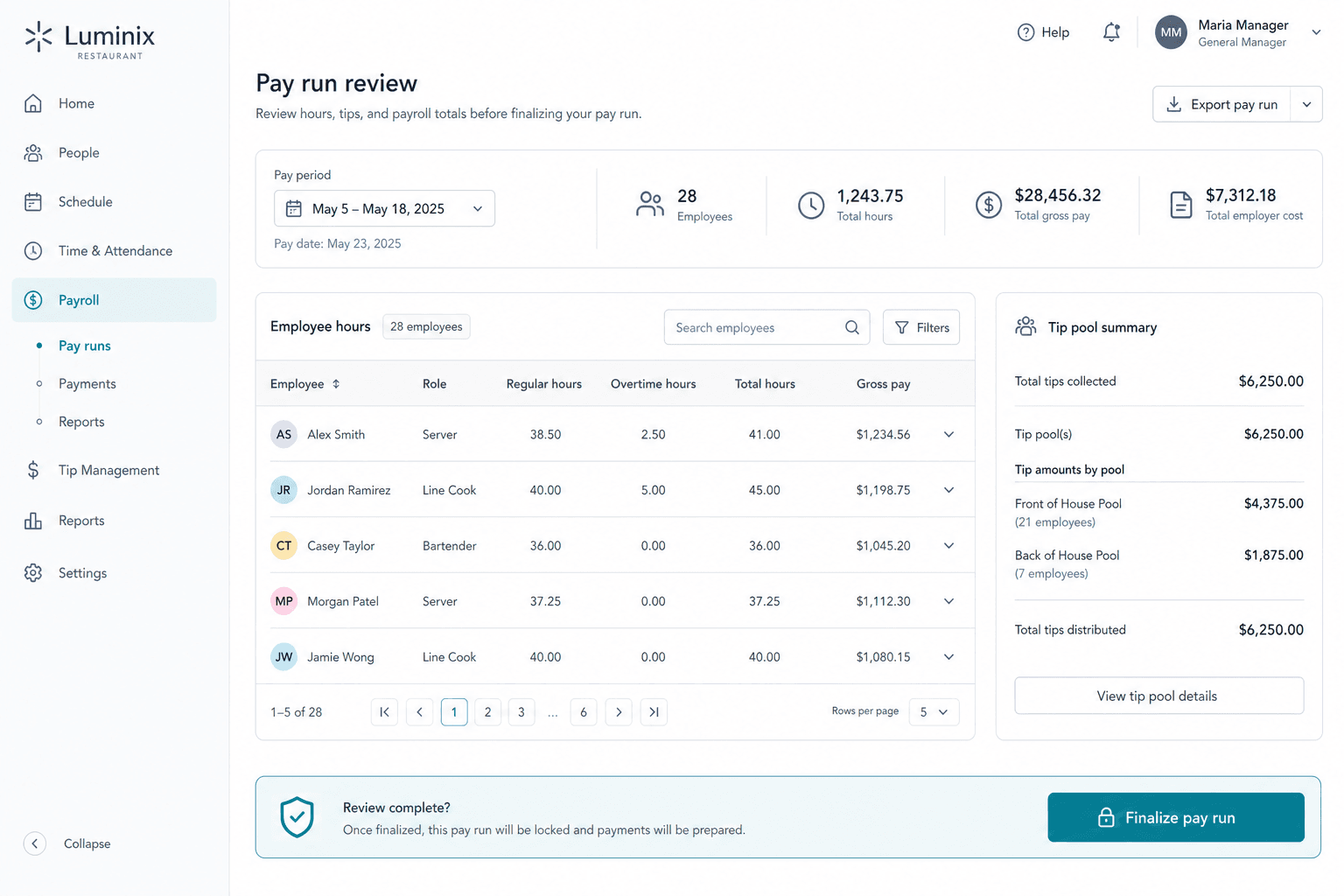
One example of how this module shares data with the rest of your organization — no exports or duplicate entry.
Overview
Review timecards, tip pools, and pay previews in Luminix, then export provider-ready files for Gusto or ADP. Taxes and direct deposit stay with your payroll provider. Tip disputes, pay stub PDFs, and CSV timesheets use the same scheduling and HR records.
Key capabilities
Tip pool rules
Hours-based or role-weighted pools with included/excluded roles per location.
Tip import
Import period pool totals from POS metadata; manual entry supported.
Pay preview disputes
Staff preview estimated pay; managers resolve before export.
Provider export
Gusto and ADP import templates plus period CSV for accountants.
Example workflows
- Tips imported from POS → pool run → disputes resolved → provider export
- Scheduling publish → punches → timecards → pay run draft
- Preflight gates block export until onboarding paperwork is complete
Built for
Connects with
Payroll is one module on a shared organization — locations, people, and audit trails flow between modules without exports or duplicate entry.
Outcomes
- Stop rebuilding tip math in spreadsheets
- Fewer payday surprises from missing punches
- Audit trail for tip disputes
See Payroll in a live demo
We walk through real workflows, multi-location setup, and how this module connects to the rest of your operation.
From $129 / location / month · Free 60–90 day pilot